

Efficiently handles file transfers and background operations with ease
Efficiently handles file transfers and background operations with ease
Vote (4 votes)
Program license Trial version
Developer Ftpx
Version 1.0.1.53
Works under Windows
Vote
(4 votes)
Developer
Ftpx
Works under
Windows
Program license
Trial version
Version
1.0.1.53
Pros
- Simple, familiar interface
- Supports background and queued transfers
- Auto-retry and transfer resumption capabilities
- Transfer Manager for real-time monitoring
- Automatic display of file descriptions
Cons
- No support for FTPS or SFTP
- Interface may appear dated
- Limited advanced customization
A user-friendly FTP client for fast and reliable file transfers.
Overview
FTP Explorer is a lightweight FTP client designed to facilitate easy file management between computers and remote servers. With a straightforward interface mirroring standard file explorers, it lowers the barrier for users new to FTP transfers, while offering advanced features that appeal to power users.
Interface and Usability
FTP Explorer employs an interface reminiscent of the familiar Windows File Explorer, helping users navigate FTP directories with minimal learning curve. Operations such as drag-and-drop file transfers, directory navigation, and file management are intuitive. The clear layout promotes efficiency when handling multiple files or directories.
Core Features
Background Transfers: The ability to upload or download files in the background stands out, letting users continue to browse directories or manage files while existing transfer operations proceed without interruption. This multitasking capability increases productivity, especially when dealing with large files or remote servers with slower response times.
Auto-Retry and Transfer Resumption: FTP Explorer mitigates common connection issues by automatically retrying failed transfers according to user-defined parameters. In the event of a broken connection, the software can resume incomplete file transfers, provided the remote server supports this feature. This reduces the frustration associated with timeouts or interruptions during large file uploads or downloads.
File and Queue Management
FTP Explorer provides a Transfer Manager that displays real-time information about transfers. Status indicators for each file transfer, including source, destination, and progress, allow for efficient monitoring and prioritization of tasks. Intelligent queuing keeps commands organized so directory listings and transfers are processed smoothly, avoiding bottlenecks and system slowdowns.
File Descriptions and Search
An efficient feature is the automatic download and display of file descriptions from supported index files, streamlining identification of files during browsing. This eliminates the need to open large index files manually—file details are displayed alongside filenames as you browse the server.
Performance and Compatibility
Transfers are generally fast and stable. The application maintains compatibility with a broad range of FTP servers and network configurations. While it lacks support for newer secure protocols like SFTP or FTPS, it remains reliable for standard FTP connections.
Customization and Settings
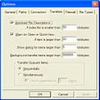
Users can tailor transfer retries, connection timeouts, and other operational parameters to match their environment. The program also supports multiple simultaneous connections, enabling efficient work with several servers at once.
Limitations
FTP Explorer does not support encrypted FTP sessions, which may be a concern for users working with sensitive data. Compared to some contemporary FTP clients, customization of interface or advanced scripting options may be more limited.
Pros
- Simple, familiar interface
- Supports background and queued transfers
- Auto-retry and transfer resumption capabilities
- Transfer Manager for real-time monitoring
- Automatic display of file descriptions
Cons
- No support for FTPS or SFTP
- Interface may appear dated
- Limited advanced customization



